ENTERPRISE SAAS . PRODUCT TRANSFORMATION
From bespoke enterprise software to a configurable SaaS last-mile platform
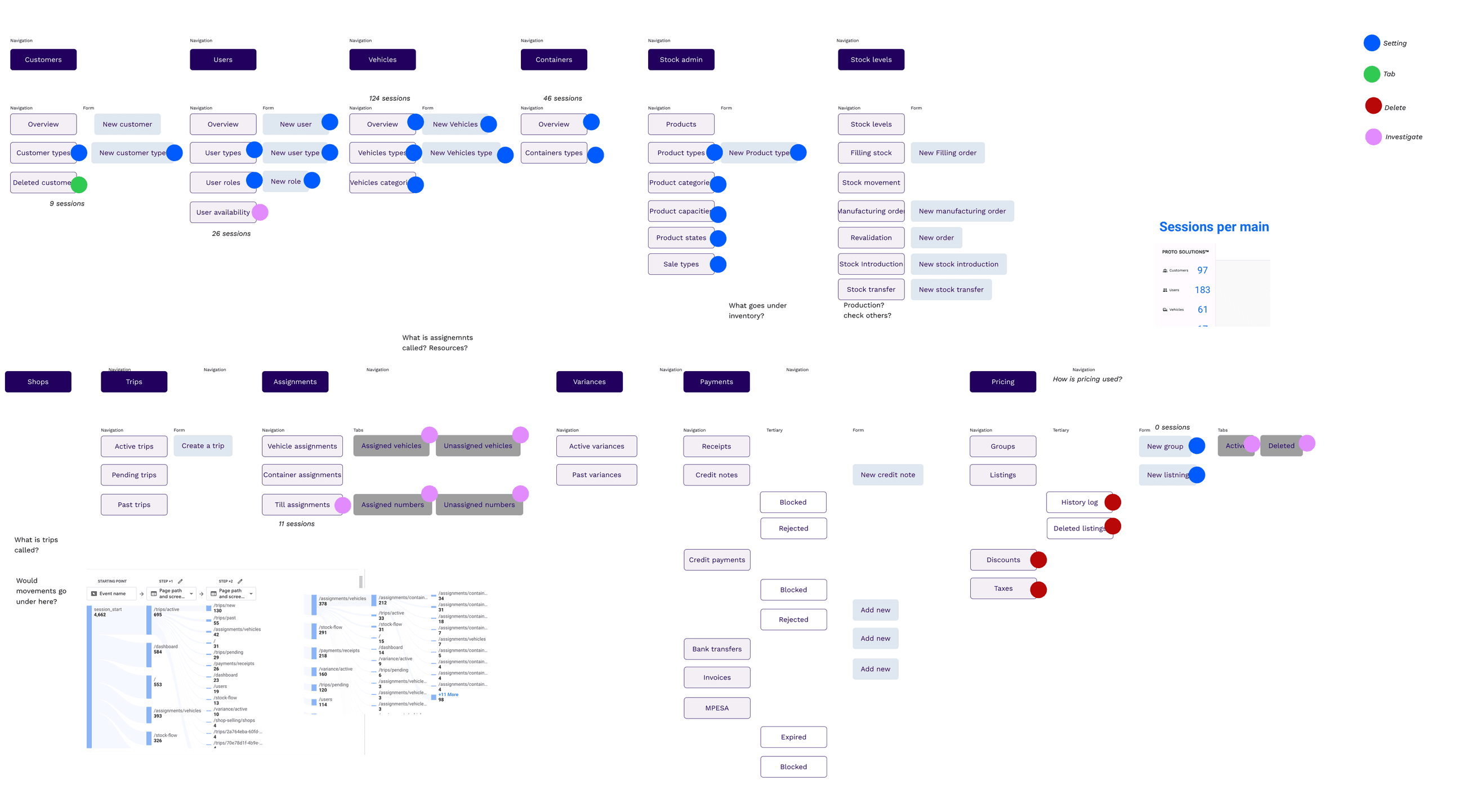
The product had originally been built around the operations of one large LPG manufacturer and distributor. When the company decided to offer it to other businesses, the challenge was not simply to make the interface more flexible. We needed to understand which parts of the existing platform represented a repeatable product, which should be configurable, and which capabilities were better left to systems customers already used.
I had worked on the original enterprise platform as well as the SaaS version, so I had seen both the strengths of the existing system and the problems that appeared when we tried to apply it to different organisations.
- ROLE.
- Lead Product Designer
- FOCUS.
- Enterprise UX · SaaS transformation · Operational workflows
One customer’s operating model had become the product
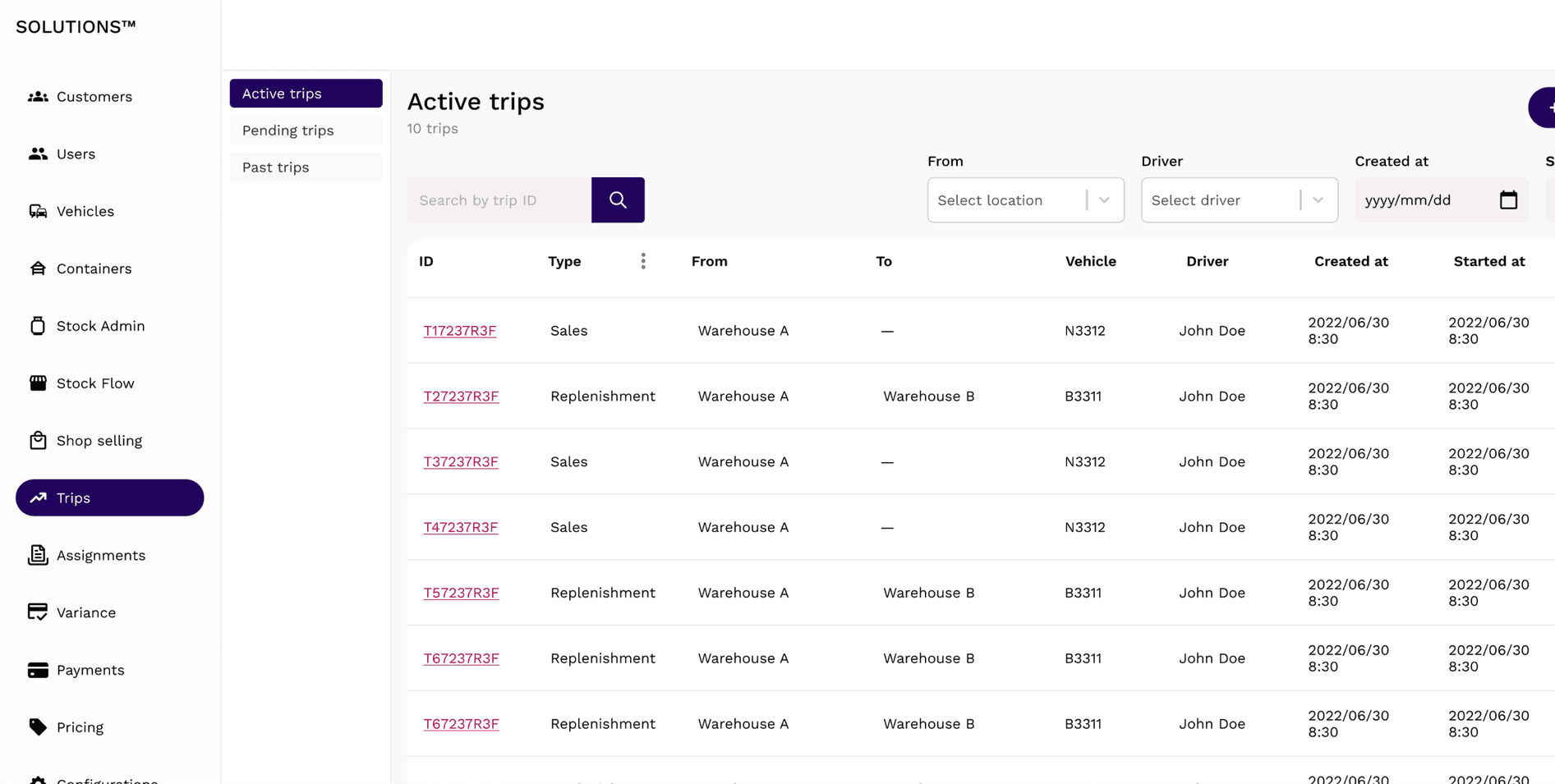
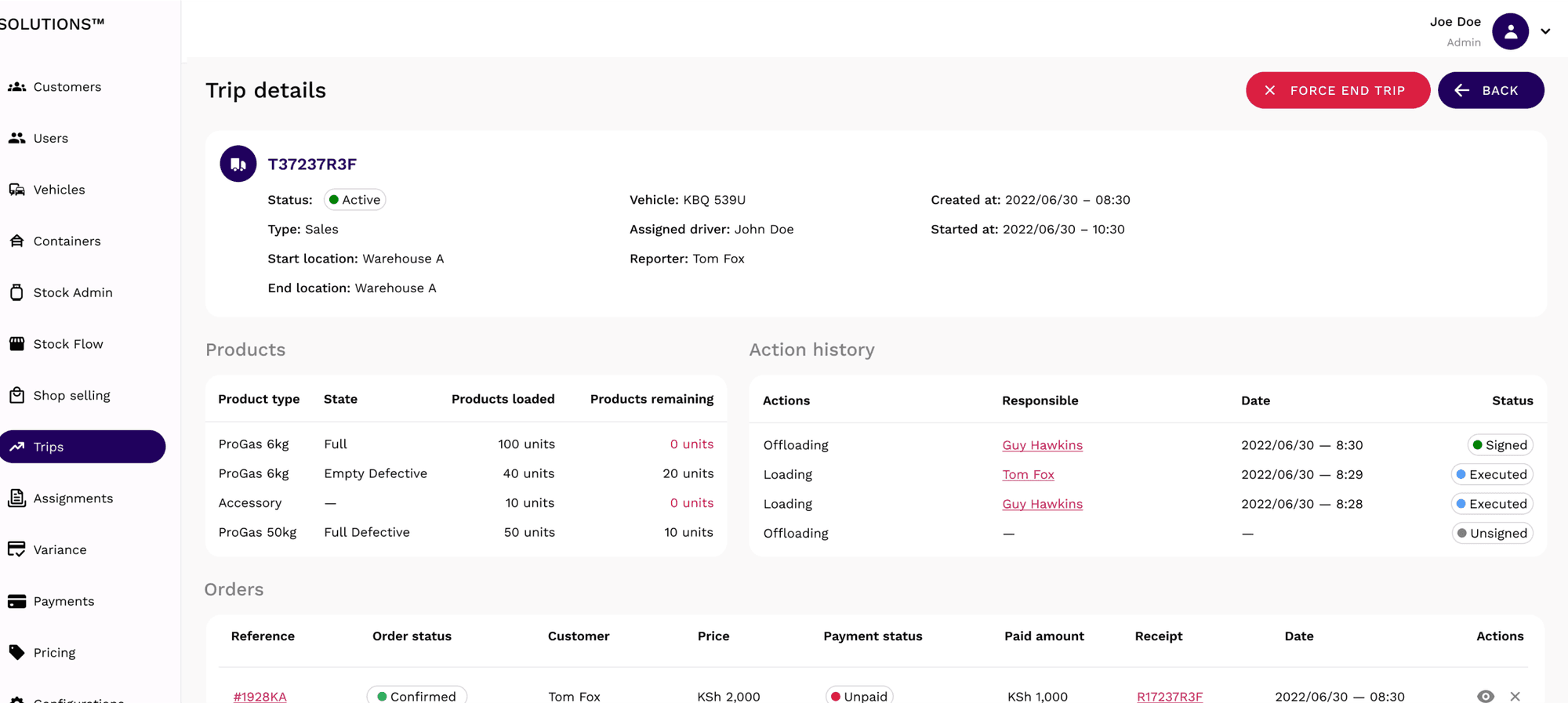
The original platform covered route planning, warehouse operations, inventory, driver workflows, restocking, sales trips and parts of the financial process. It worked for the customer it had been designed for, but over time their internal processes had become embedded in the structure of the product itself.
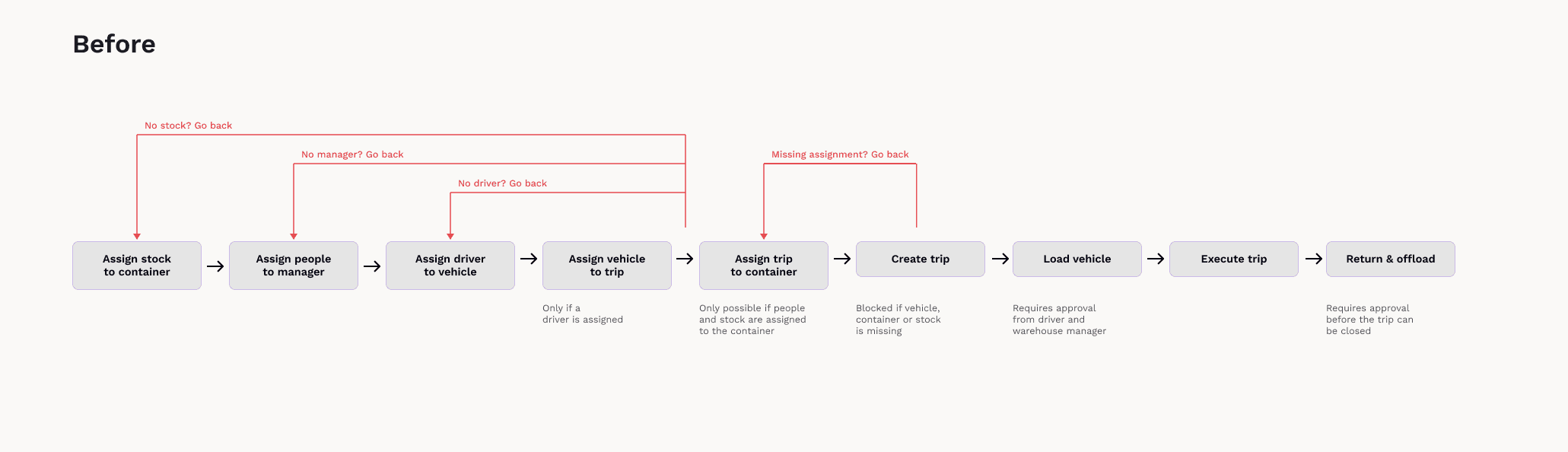
Features depended heavily on one another, and business rules were often built directly into workflows. Drivers and administrators could be prevented from continuing until another action had been completed elsewhere in the system. For the original customer, this reflected how the business operated. For other companies, the same structure could feel unnecessarily rigid.
When we started talking to other businesses, many already had software for finance, inventory or ordering and had no reason to replace those systems. We needed to separate genuine product needs from behaviour that was specific to one client.

Looking at how other companies actually worked
We spoke with potential customers and visited companies in Portugal to understand their day-to-day operations.
The differences between them were operational, not cosmetic. Some planned routes before they knew which drivers were confirmed; others leaned almost entirely on local knowledge, with drivers who knew their areas, customers and likely demand from memory. Deliveries were not always planned in advance either; orders could come through by phone, drivers could make additional stops during the day, and vehicle loads were not always planned against expected demand.
At the same time, many of these companies already had ERP, finance or inventory systems. The gap was more specific. Last-mile planning, vehicle stock and operational visibility were often the areas that were hardest to manage.
Defining what the product actually was
The original platform contained different kinds of functionality. Some features solved problems we saw repeatedly across customers, some were useful only when a company wanted a particular level of control, and some existed simply because the first customer needed them.
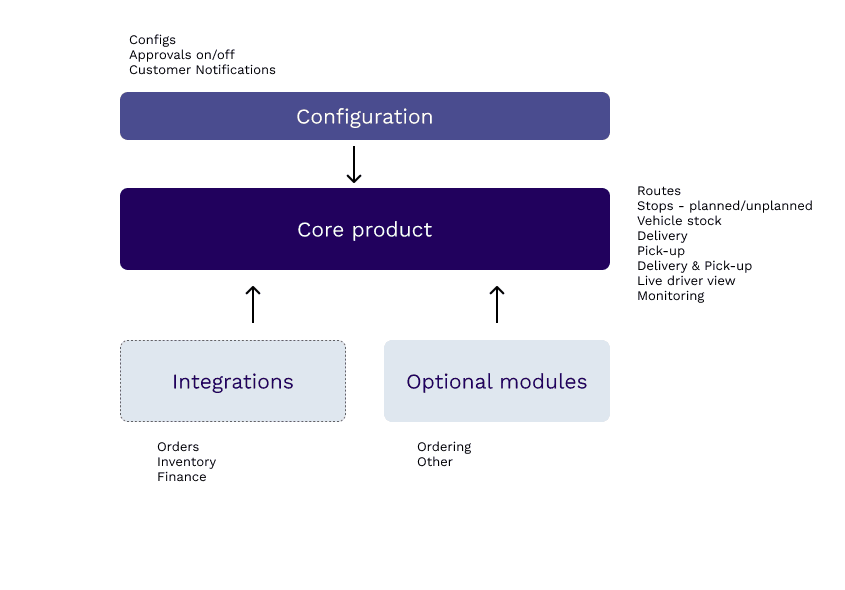
Configurability is not the same as adding more settings. The real decision was what belonged in the core product, what should be configurable, what should stay in the systems customers already ran, and what was legacy complexity that did not need to survive the move at all.
This gave the product much clearer boundaries. Last mile became the core, while everything around it could be added, configured or integrated where needed.
Planning could not be fully automatic
Route planning looked like an obvious candidate for automation, but in practice operators and drivers already had valuable knowledge about customers, areas and how routes actually worked.
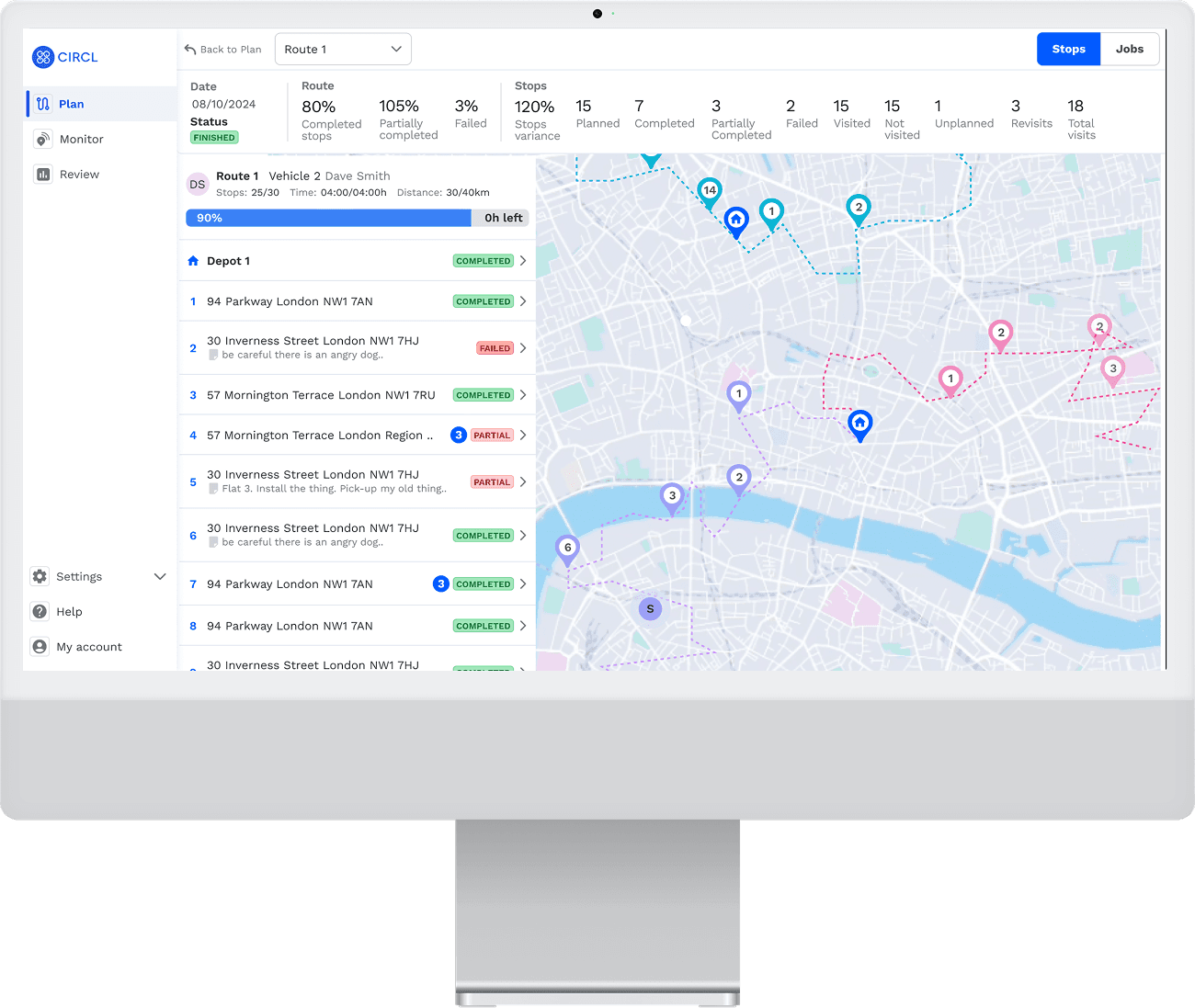
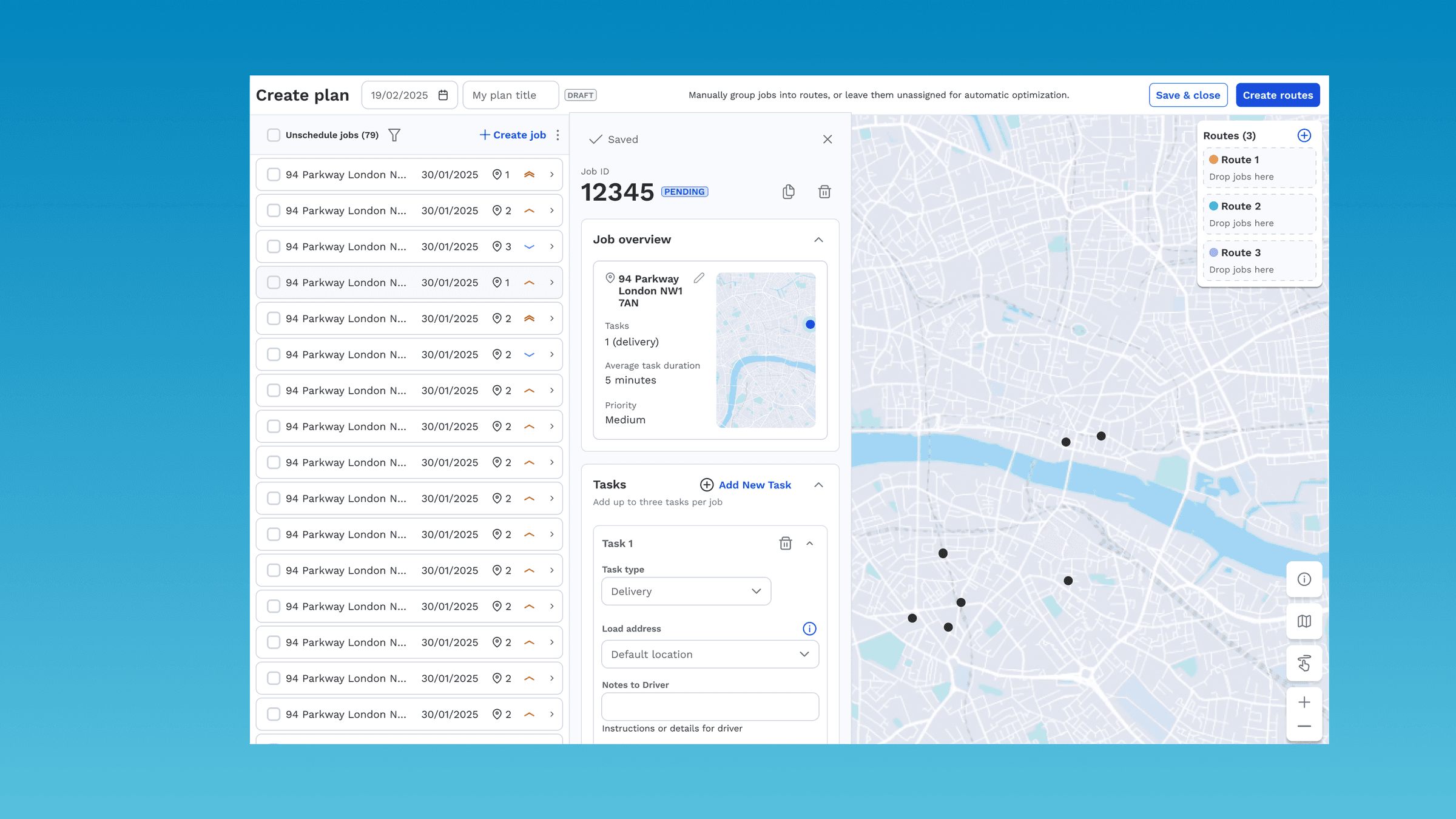
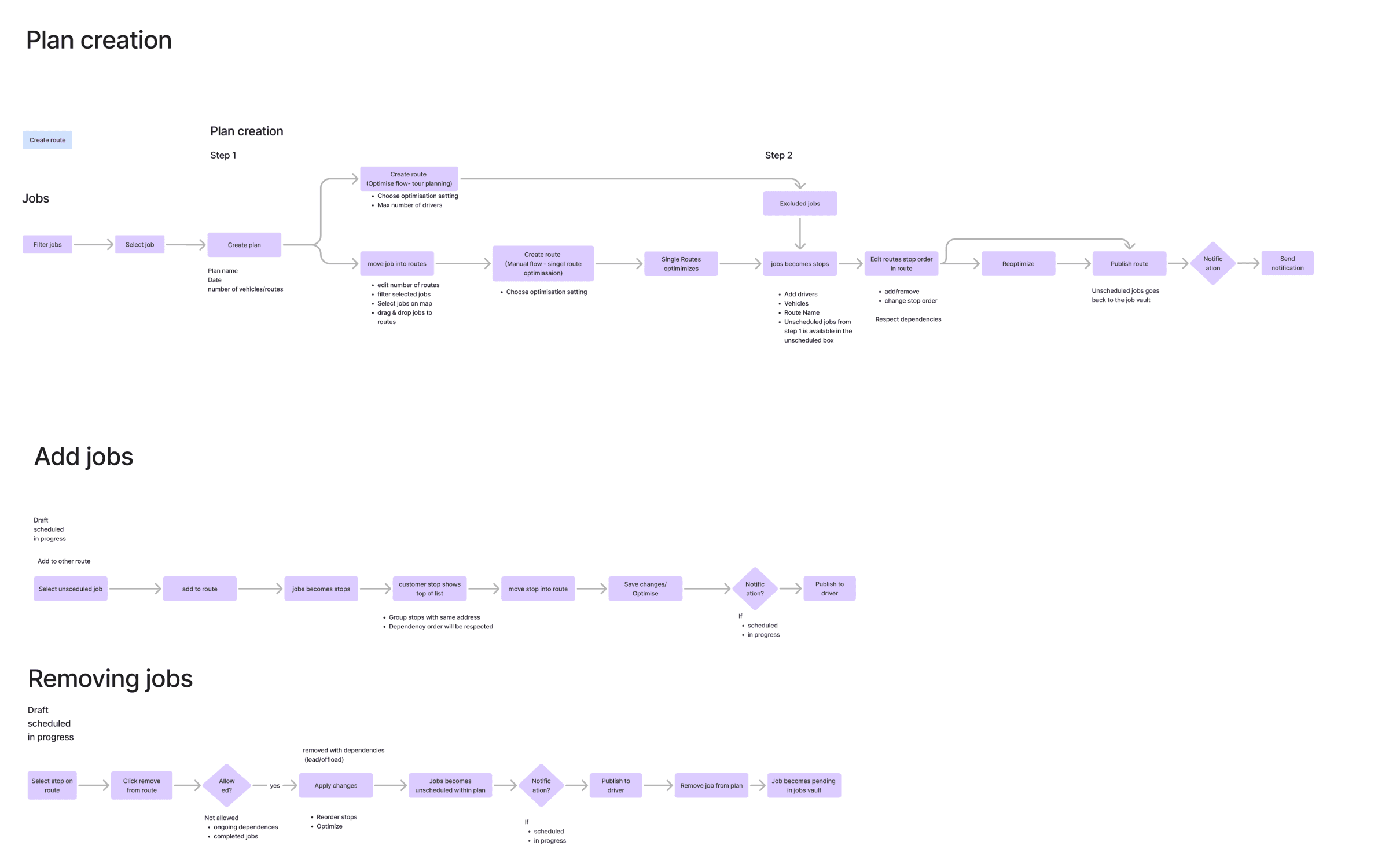
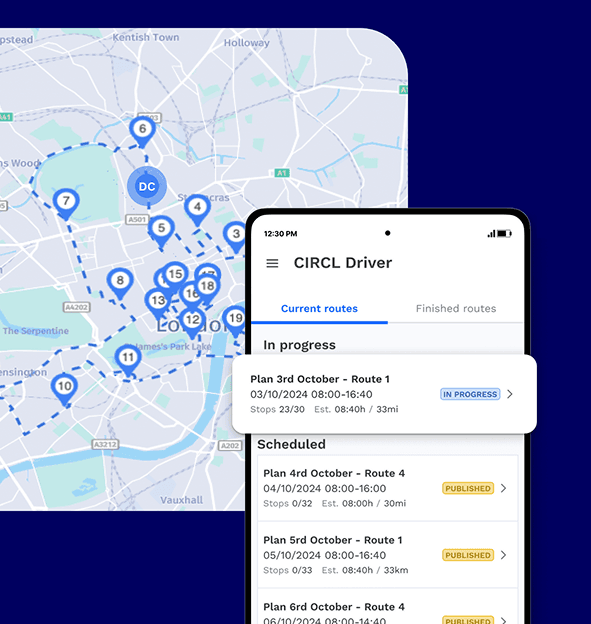
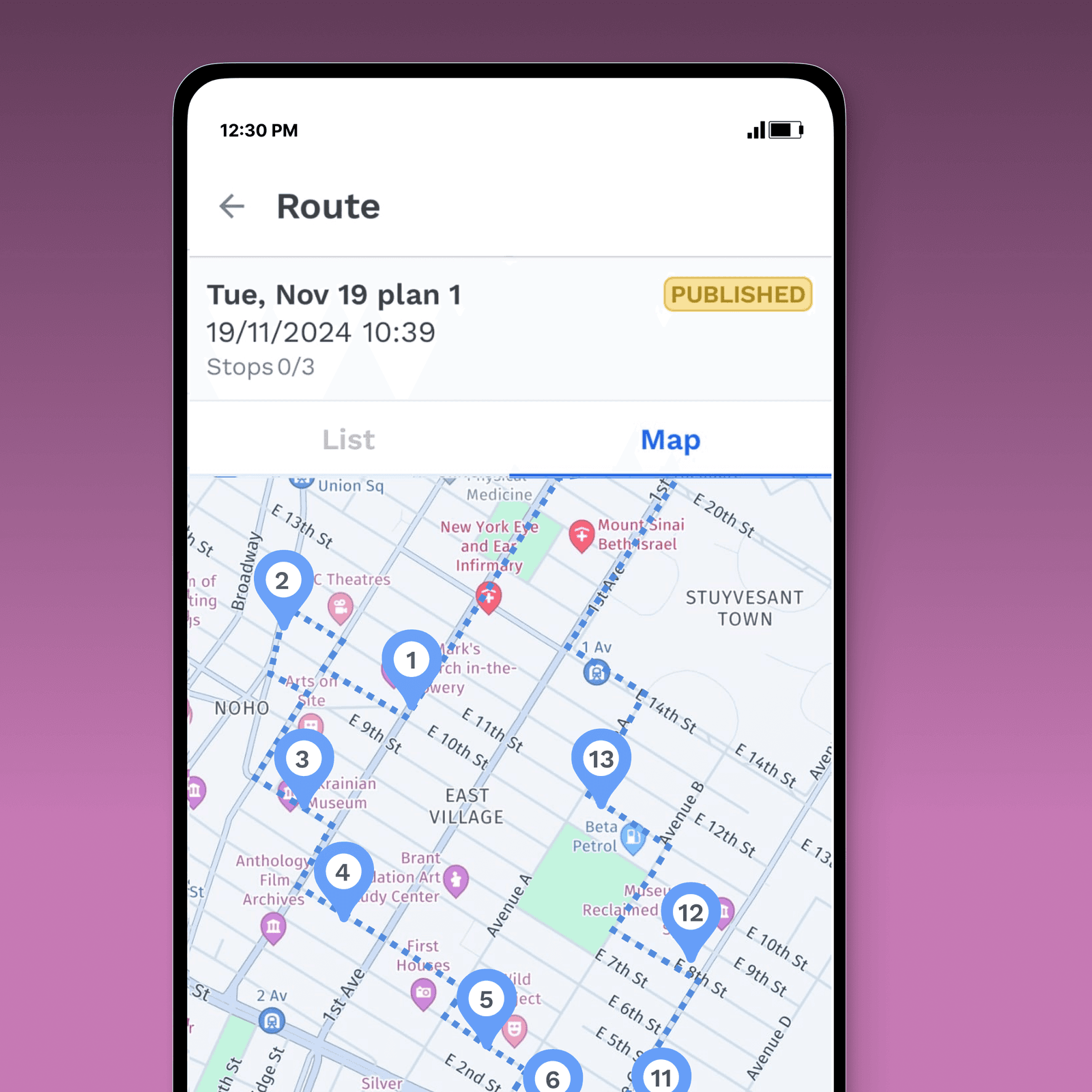
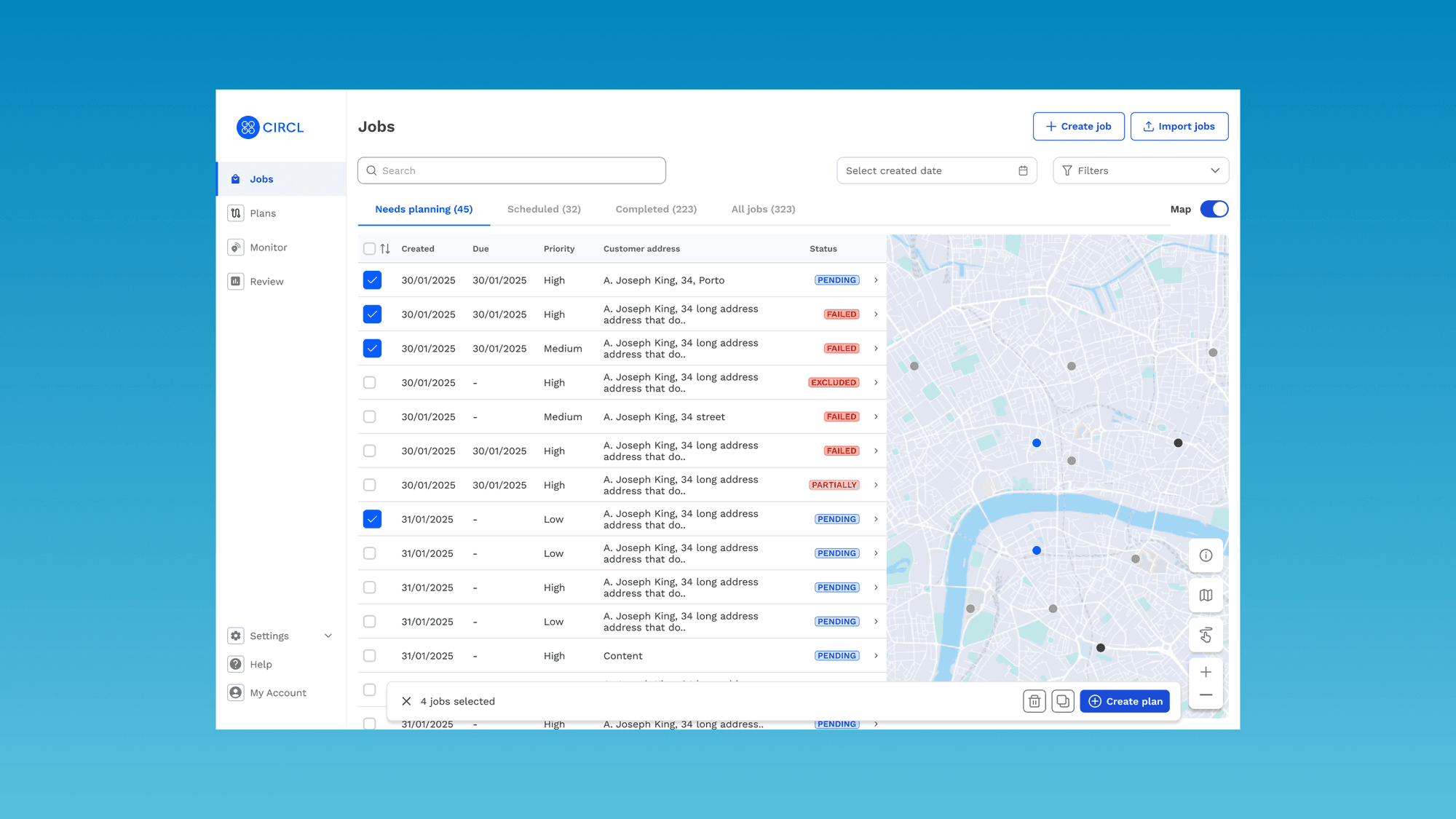
The system therefore needed to support both an automatically generated starting point and manual adjustment. Operators could change the order of stops, move work between vehicles, adapt the plan from local knowledge, leave a route unoptimised when that was the right call, and place the jobs the optimiser could not fit.
The goal was not to automate every decision. The goal was to reduce the effort required to create a good plan without removing already useful expertise.
A stop was not always just a delivery
Planning also depended on what happened at each stop.
A driver might deliver something, collect something, exchange an old item for a new one, or only collect. That meant vehicle capacity changed throughout the day.
A delivery could free up space, while a collection could use it again. Route planning therefore could not be treated purely as a geographical problem. Stock, vehicle capacity, delivery type and route order all needed to work together in the interface.
This was one of the more complex parts of the UX: helping operators understand not only where a vehicle was going, but how its load would change as the route progressed.
The route still had to work when the day changed
Even after a route had been planned, additional stops could appear during the day. A customer might need something unexpectedly, or a driver might know it made sense to stop somewhere while already nearby.
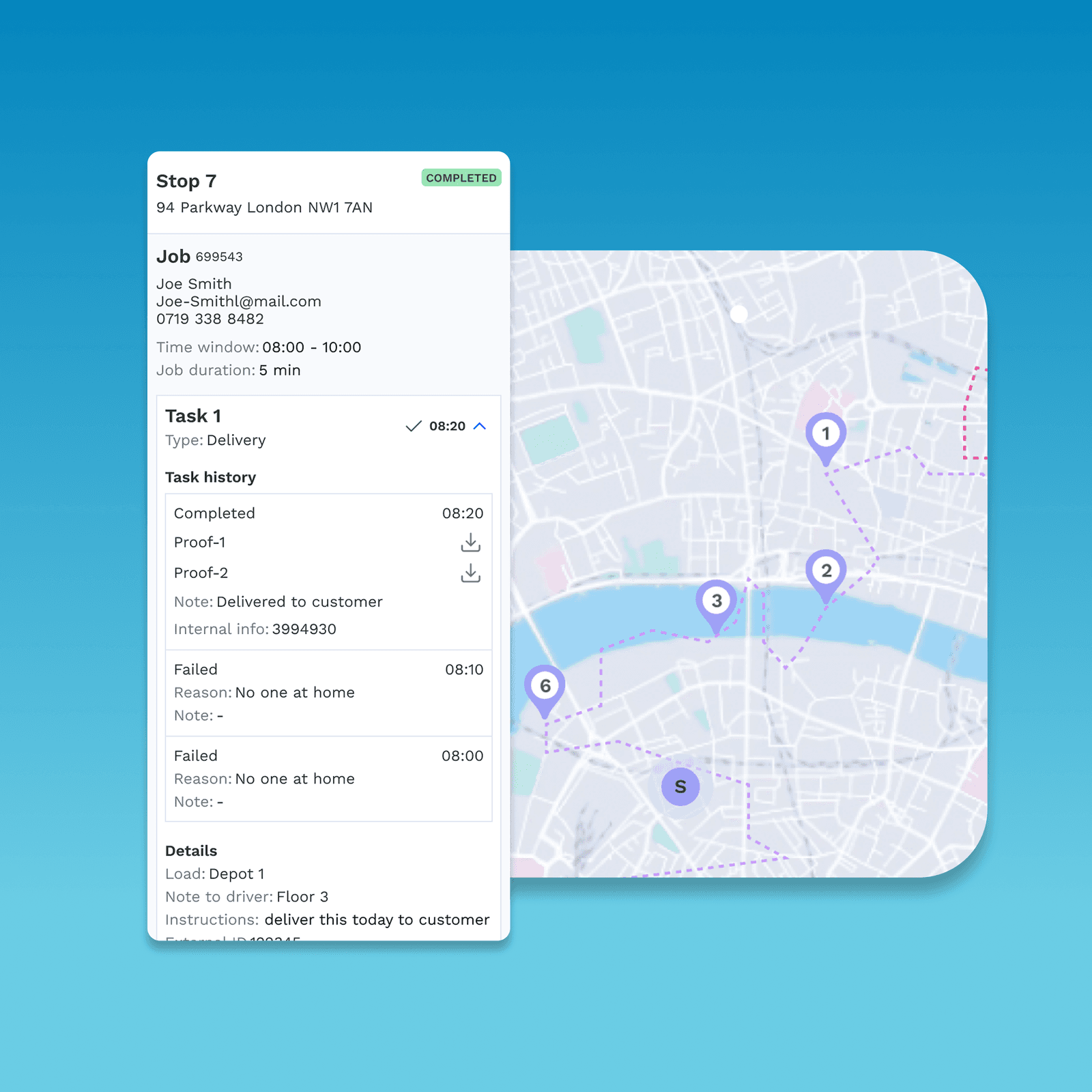
We therefore designed for a planned structure that still allowed change. Once a route was underway, what had already happened had to stay fixed: failed and partly completed jobs, stops added mid-route and any re-optimisation could reshape the rest of the day without rewriting the part of it that was already done.
The route needed to give drivers and operators a clear starting point without becoming so rigid that normal operational changes broke the workflow.
That principle carried through much of the redesign: make the next action clear, but do not make the process more restrictive than the real operation requires.

Simplifying the driver experience
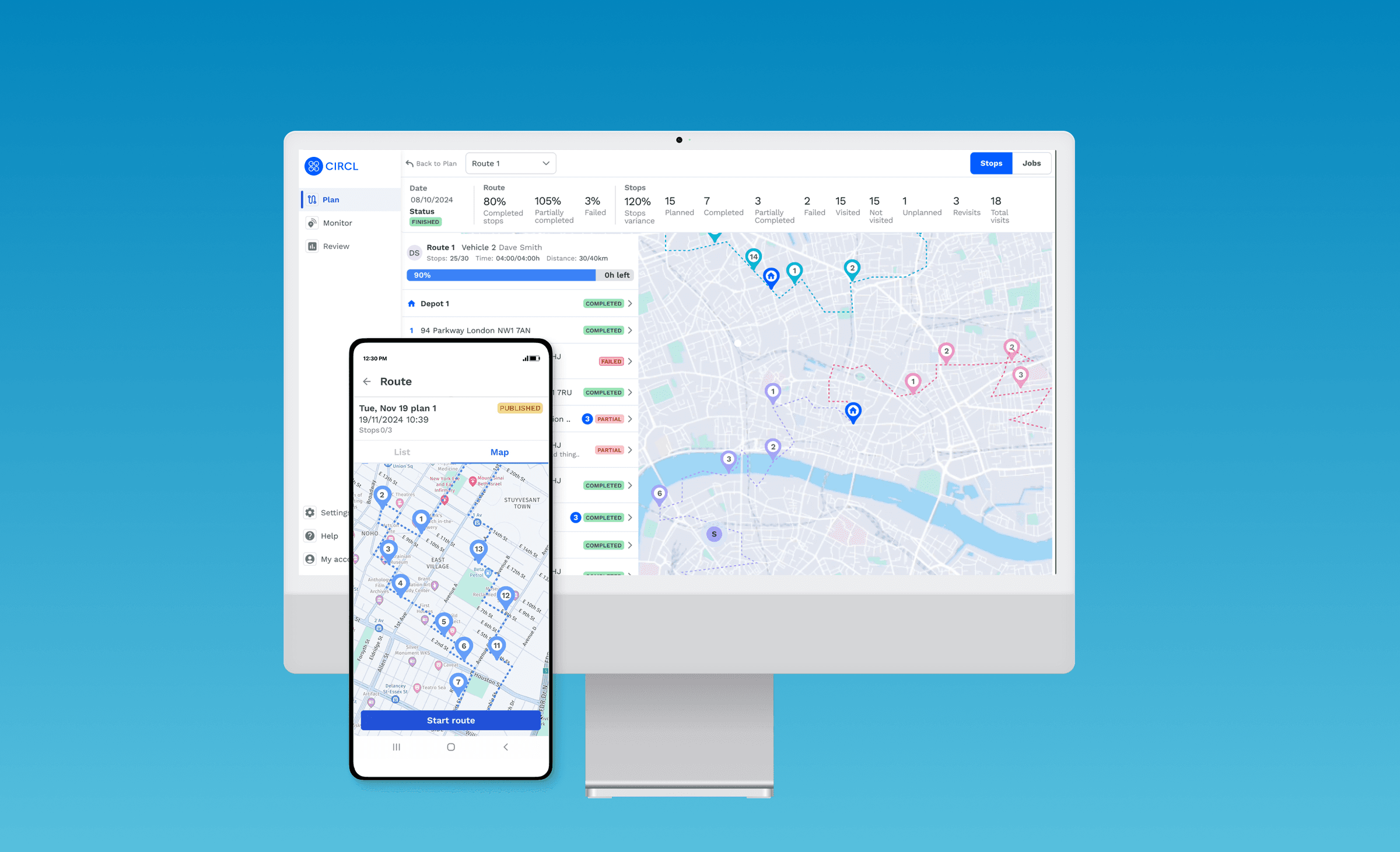
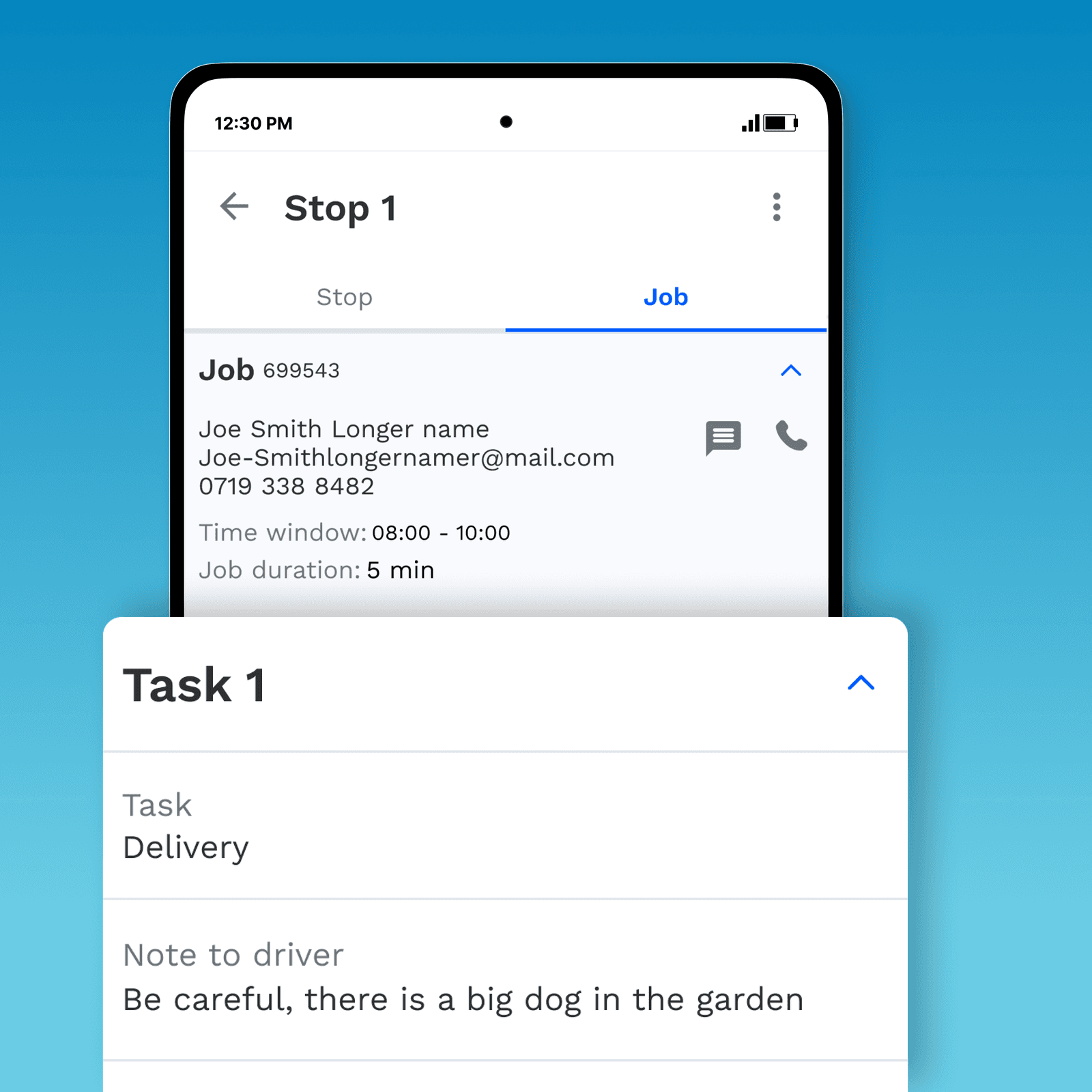
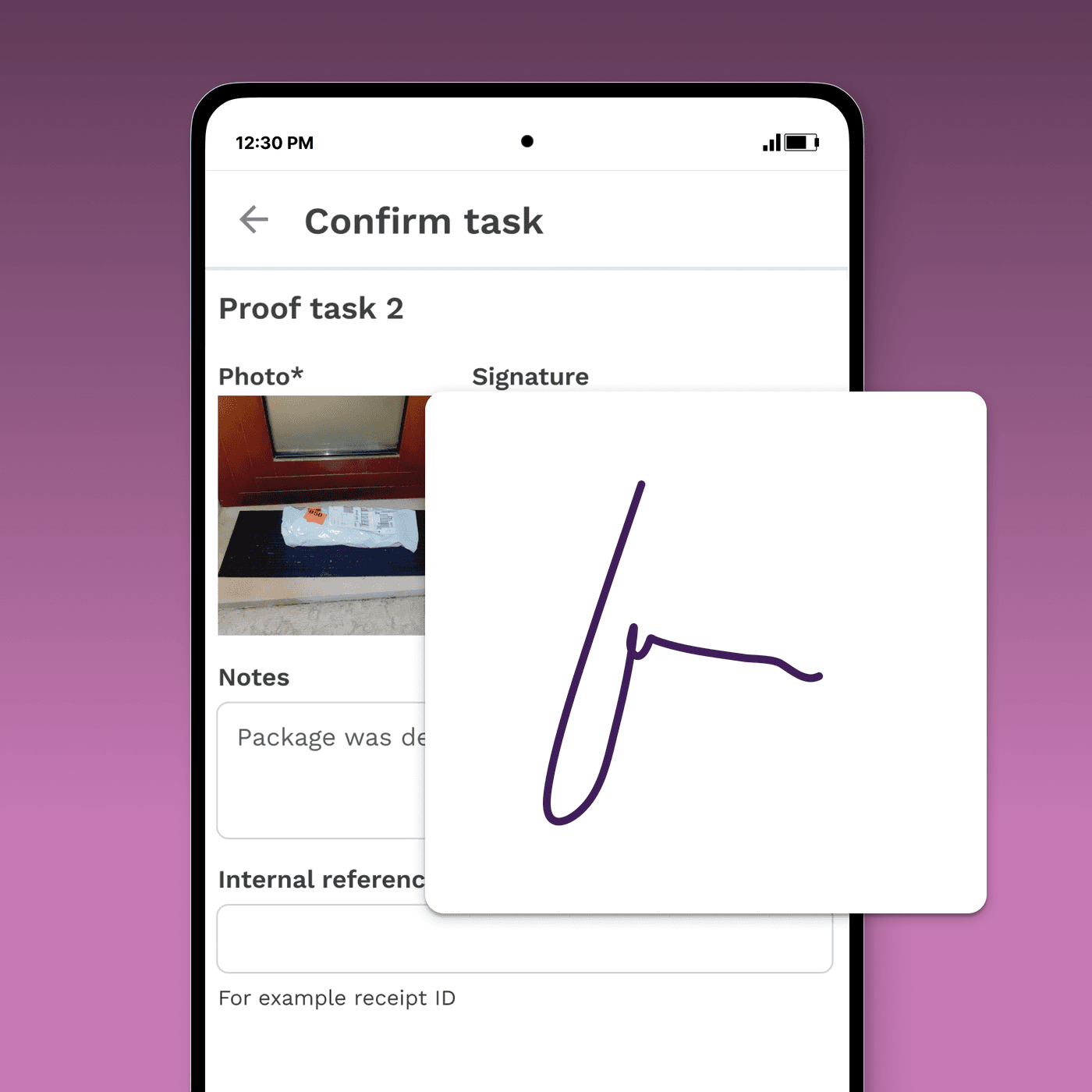
The driver experience had different challenges. A single job could hold delivery, pickup and service tasks, and one job could run across more than one stop, so the screen had to make the next action and the current state obvious with very little explanatory copy.
The original mobile workflow contained many checks and dependencies. A driver could be blocked from continuing until another person had completed a step elsewhere in the system.
We focused the mobile experience around the immediate task: where the driver was going, what needed to be delivered or collected, what needed confirmation, and what happened next.
We also reviewed the existing controls more critically, separating checks that were genuinely necessary from those that had simply become part of the original customer’s process.
Different companies needed different levels of control
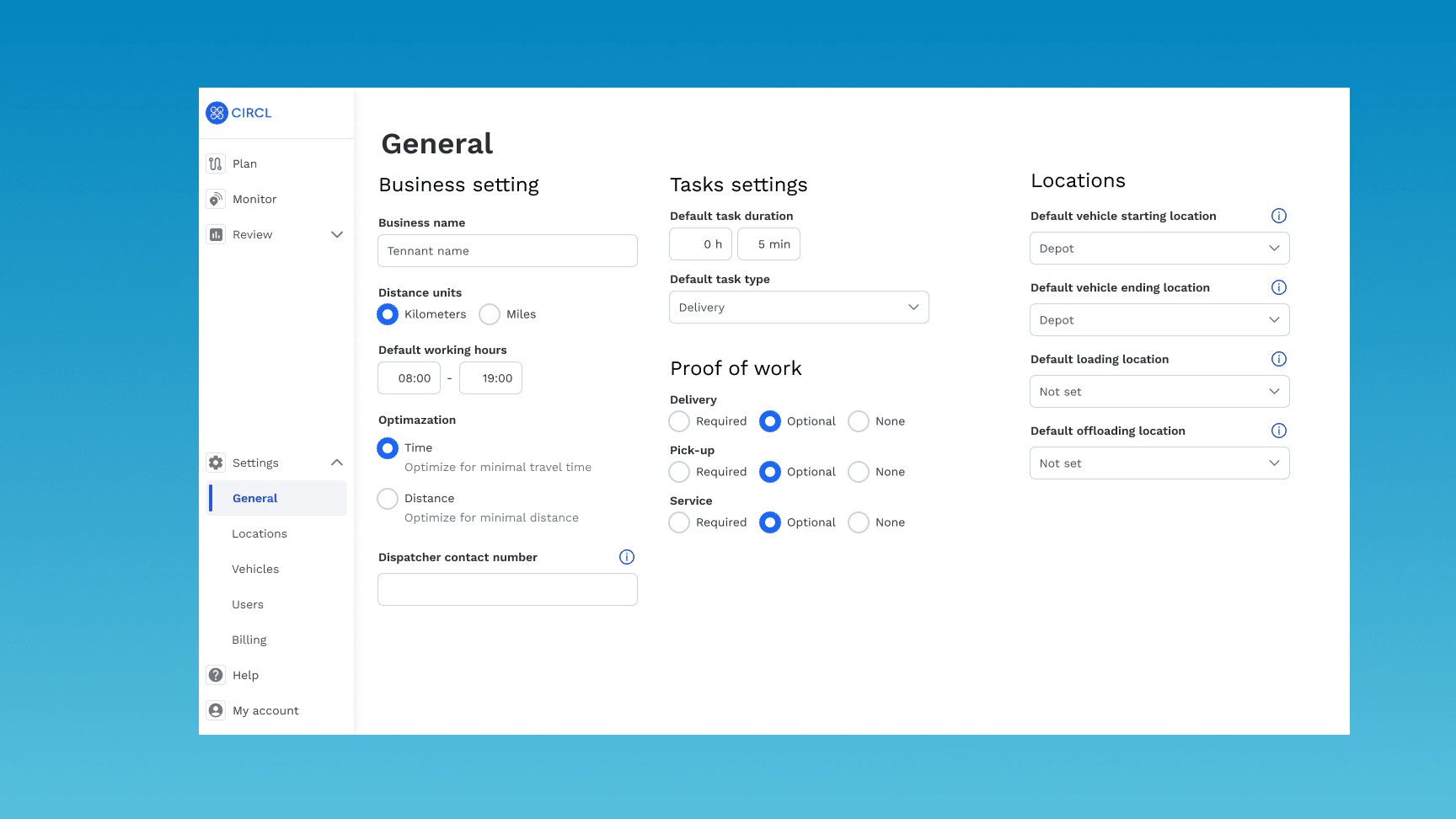
The original customer wanted strict rules around stock, route steps, approvals and delivery status. Other companies operated much more informally and gave drivers greater independence. The same split showed up in planning: one company could lean on automatic planning for most of the day, while another built routes by hand and reached for the optimiser only when it actually helped.
Rather than assuming one model was correct, we made the level of control configurable where it genuinely reflected a difference between businesses.
The purpose of configuration was not to expose settings for everything. It was to allow different operating models without creating completely different products.
Instead of recreating the entire enterprise platform as SaaS, we focused the MVP on the last-mile problem.
Customers could keep systems that already worked, configure the level of operational control they needed, and add further capabilities only where they were useful. Route planning could combine automation with manual knowledge, while the driver experience could be simplified because it no longer needed to expose the complexity of the wider enterprise platform.
The SaaS version was smaller than the original system, but more adaptable to a broader range of companies.
What changed
Last mile became the main product
We focused on the part of the platform that solved a repeatable problem across customers.
Planning combined automation with human knowledge
Operators could create plans faster while retaining manual control.
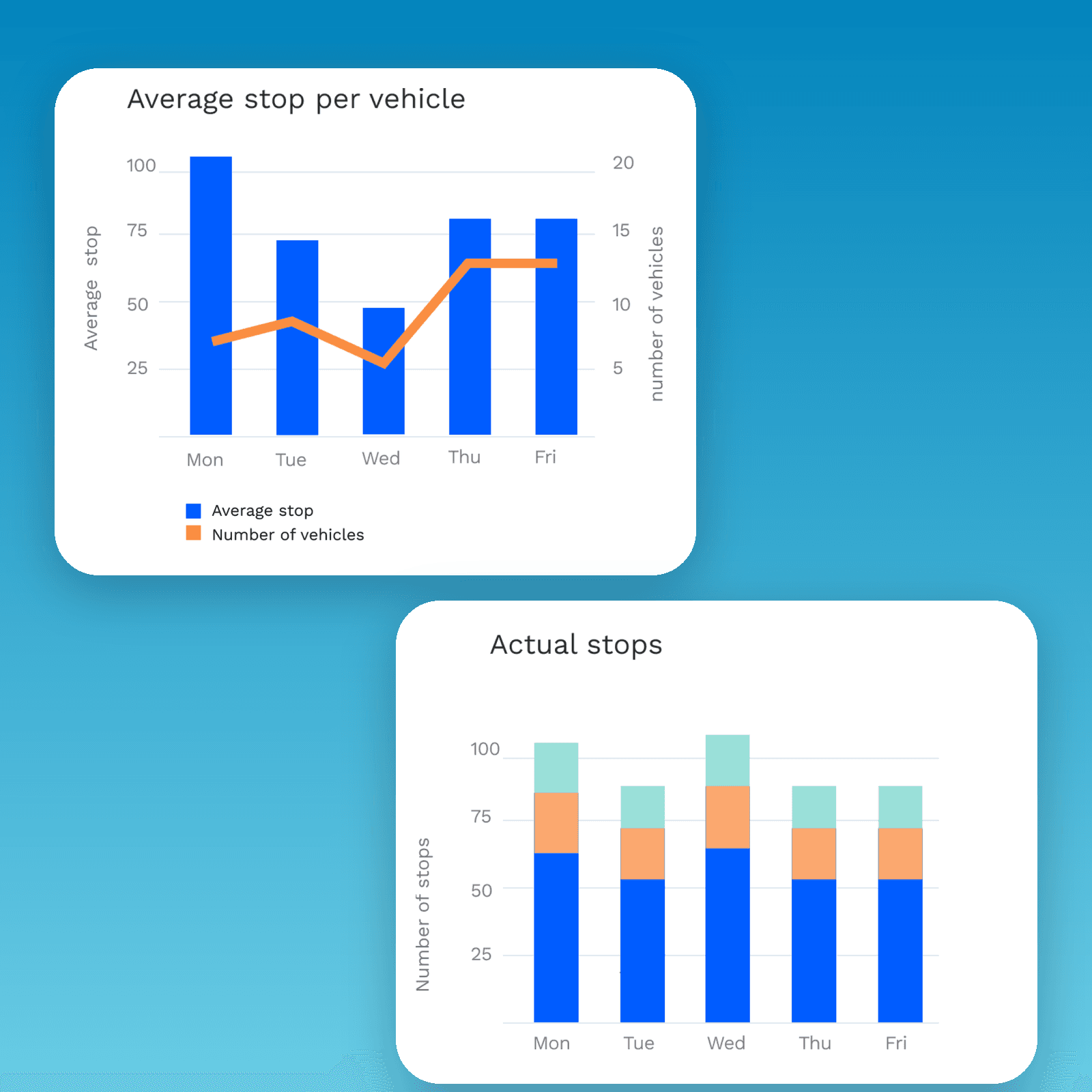
Stock, capacity and routes became part of the same UX problem
The interface reflected the fact that deliveries, collections and exchanges changed the vehicle load throughout the day.
The driver experience became simpler
The mobile flow focused on immediate actions rather than exposing the complexity of the wider system.
Control became configurable
Different companies could choose how tightly workflows should be managed.
- The new structure became a standalone SaaS MVP
What I took from it
At first, I thought the main challenge would be making the product more configurable. The harder question was deciding what should be part of the product at all.
Some complexity came from the operation itself. Some belonged in configuration. Some belonged in systems customers already had, while other complexity had accumulated simply because the original product had been built around one organisation for a long time.
I also learned that improving an operational product does not always mean replacing the way people already work. Drivers’ local knowledge was valuable, unplanned stops were not necessarily failures of planning, and strict controls made sense for some businesses but not for others.
The design challenge was to understand which parts of the existing process should be improved, which should be preserved, and which should no longer define the product.
Before simplifying the interface, I try to understand where the complexity actually comes from.